Backup And Recovery
Backups Brace Your Organization For The Worst Scenarios
It is important for businesses to plan ahead and put data backup systems into place in case the worst happens. You can go months or even years without a failure, but when disaster strikes, you are in serious trouble. Backup refers to making copies of data so that the copies may be used to restore the original data after a data loss event. Backups are useful primarily for restoring a state following a disaster such as a flood, fire, or earthquake as well as restoring small numbers of files after they have been accidentally lost such as an employee or competitor theft, physical computer failure, or even a spilled coffee. Implementing cloud data backup may help you bolster your organization’s data protection strategy without adding more workload on your IT staff.

Evaluate The Imperative Second Source

If your systems went down today, could all their configuration settings be restored rapidly?
If your systems went down today, could all their configuration settings be restored rapidly?
Would you like to bounce back your lost data, applications, and software within minutes, not hours or days?
Would you like to bounce back your lost data, applications, and software within minutes, not hours or days?
Aside from data replication, is your organization prepared with physical strategies for failover?
Your Content Goes HereAside from data replication, is your organization prepared with physical strategies for failover?
Your organization needs a business continuity plan with fast failover of critical workloads to the cloud. Gain instant data availability of all your systems and make your infrastructure more resilient so your team can remain productive and responsive to business, regardless of any disaster faced. Contact TrimaxSecure today for a personal comprehensive enterprise backup solution to ensure availability all your workloads today.
Special Offers
Recovery Seamlessly Whenever You Need It Most

Disaster Recovery
Disaster recovery is your plan of regaining access and restoring functionality after a disaster, cyber-attack, or other failure. Traditionally, it depends on prior replication of data and computer processing to machines unaffected by the disaster. Disaster recovery in the cloud still operates on the same principles, but the regular backups and safe storage of those machines are taken care of automatically. Anything needed to successfully recover from a disaster can be backed up.
Cloud Backup Automation
System images and data need regularly performed backups, and any task that can be repetitively done lends itself well to automation. Automation is all about investing a little more into set-up so that actual backups can be run quickly and without intervention. Cloud backups refers to an online data backup strategy that involves sending a copy of your primary data over a public or proprietary network to an off-site server. The cloud backup process copies data and then stores it on a separate storage system archive that allows easy access in case of a recovery situation. When your devices are down, all you need to do is simply verify and execute backup recovery from the managed data center portal and your resources will automatically restore based on the last snapshot image copy.

Failover Strategy
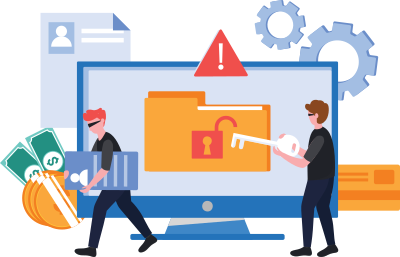
When a hurricane strikes, hospitals and other critical services need to have their own means of power generation available. In the same way, when a system goes down, something breaks, or unexpected system updates take place, it’s important to have back-up machines. A failover strategy provides a level of redundancy that assures there’s a machine to run all your applications and support your data in the case that a disaster or even unplanned update takes place.




We’re Going To Become Partners
For The Long Run.
Testimonials
What Our Clients Have to Say
Our Partners